

The Cash place and your drawer
Sale → Cash place is where money moves that is not a sale: collecting from customers, paying suppliers, expenses, cash in / out, and opening and closing your drawer.
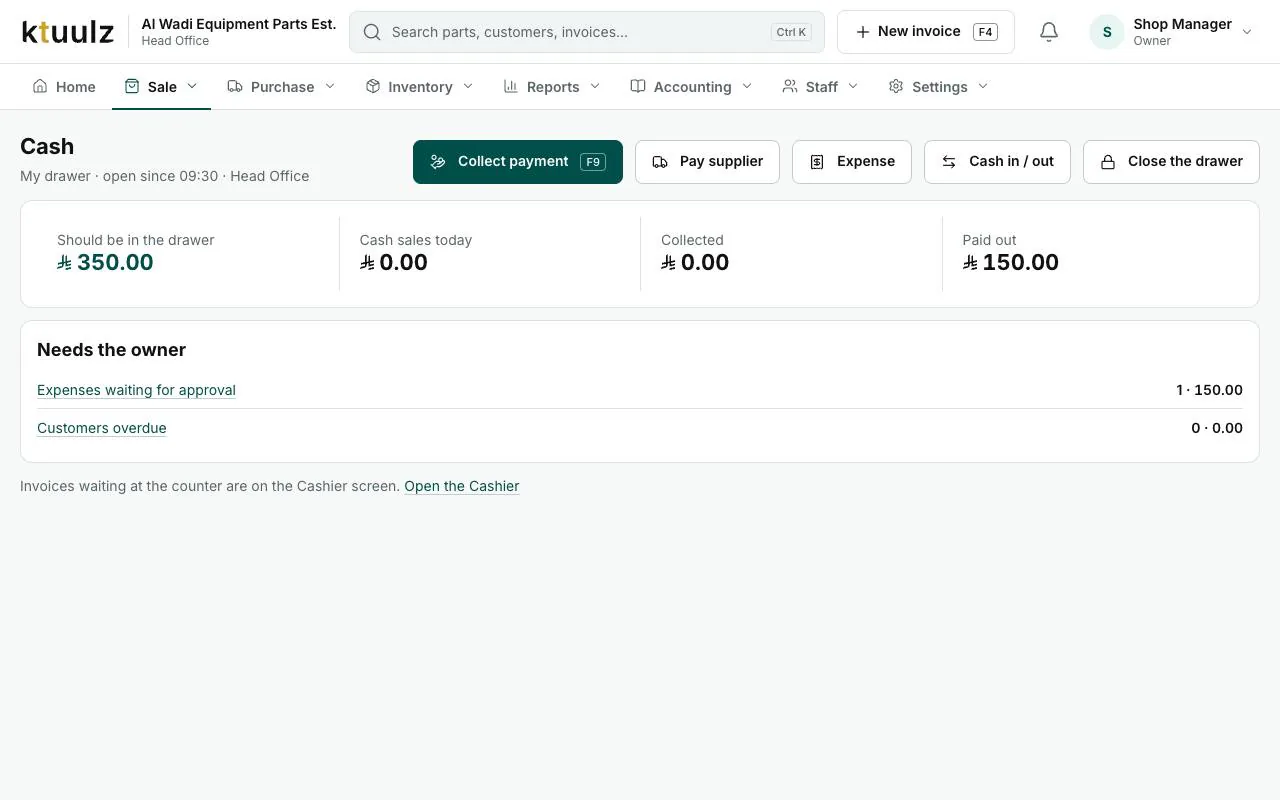
Open your drawer (start of the shift)
Type the opening amount (the cash you start with) → Open the drawer. From now on every cash sale, cash collection, cash refund, cash expense and cash supplier payment you make counts in your drawer. The figures on top: Should be in the drawer · Cash sales today · Collected · Paid out.
Collect payment (F9 in the Cash place)
- Collect payment → choose the customer (type a few letters, Enter). Their open invoices show, oldest first, with what is overdue in red.
- Type the amount received and the way (Cash, Card (mada), Transfer, Cheque). Ktuulz ticks the invoices it pays — oldest first, in full or part — you can change the ticks.
- Take payment. The receipt shows Still owes; Print receipt (Ctrl+P) or Send on WhatsApp.
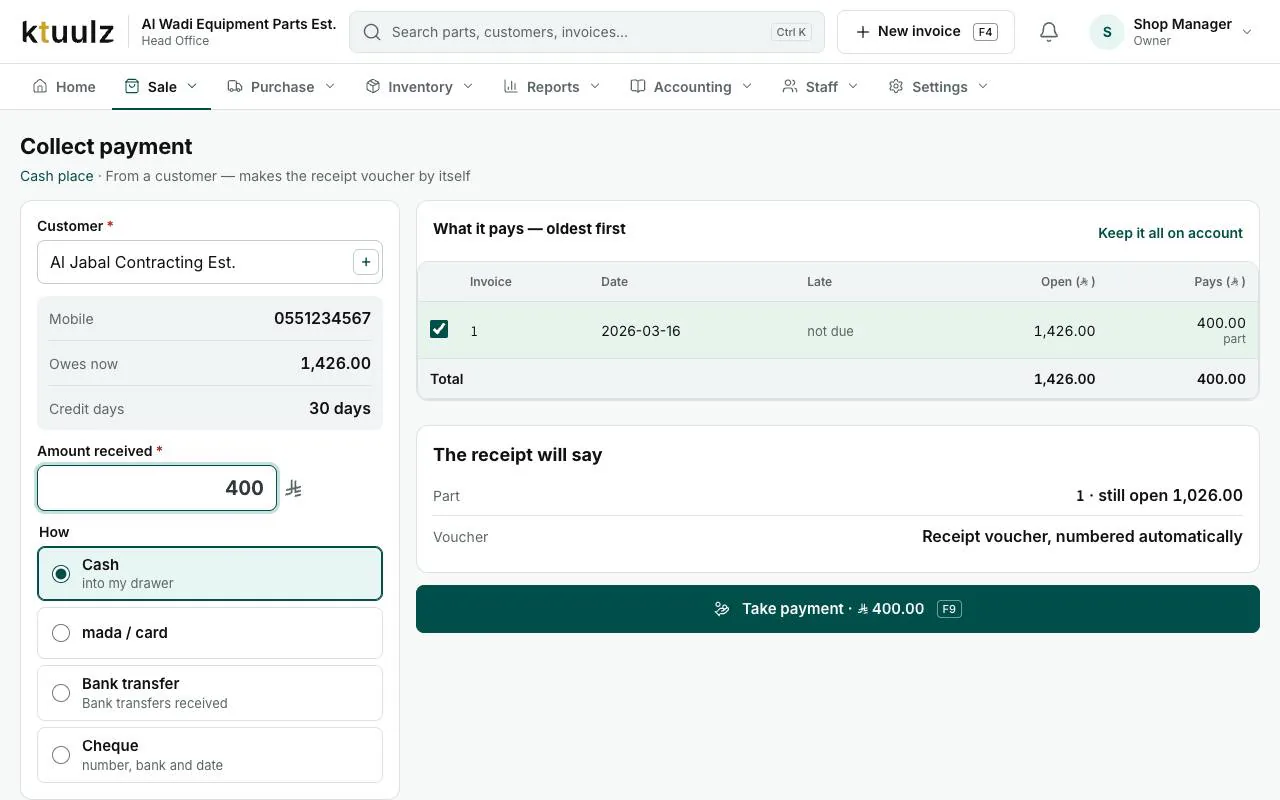
A walk-in who bought on credit or STC without a name is collected the same way while their invoice is open: choose Cash customers and the invoice.
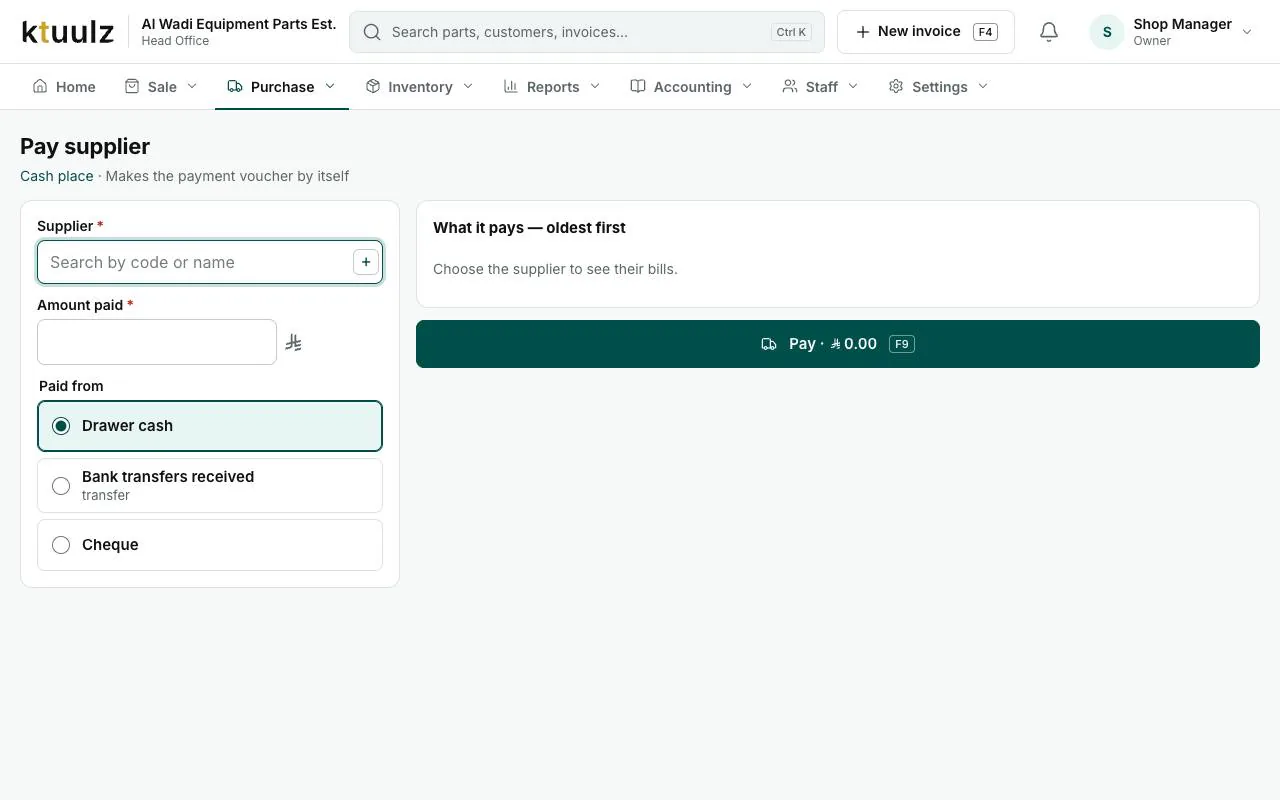
Pay supplier
Pay supplier → supplier → the open bills → amount and way (from the drawer, or a bank). See also purchasing.
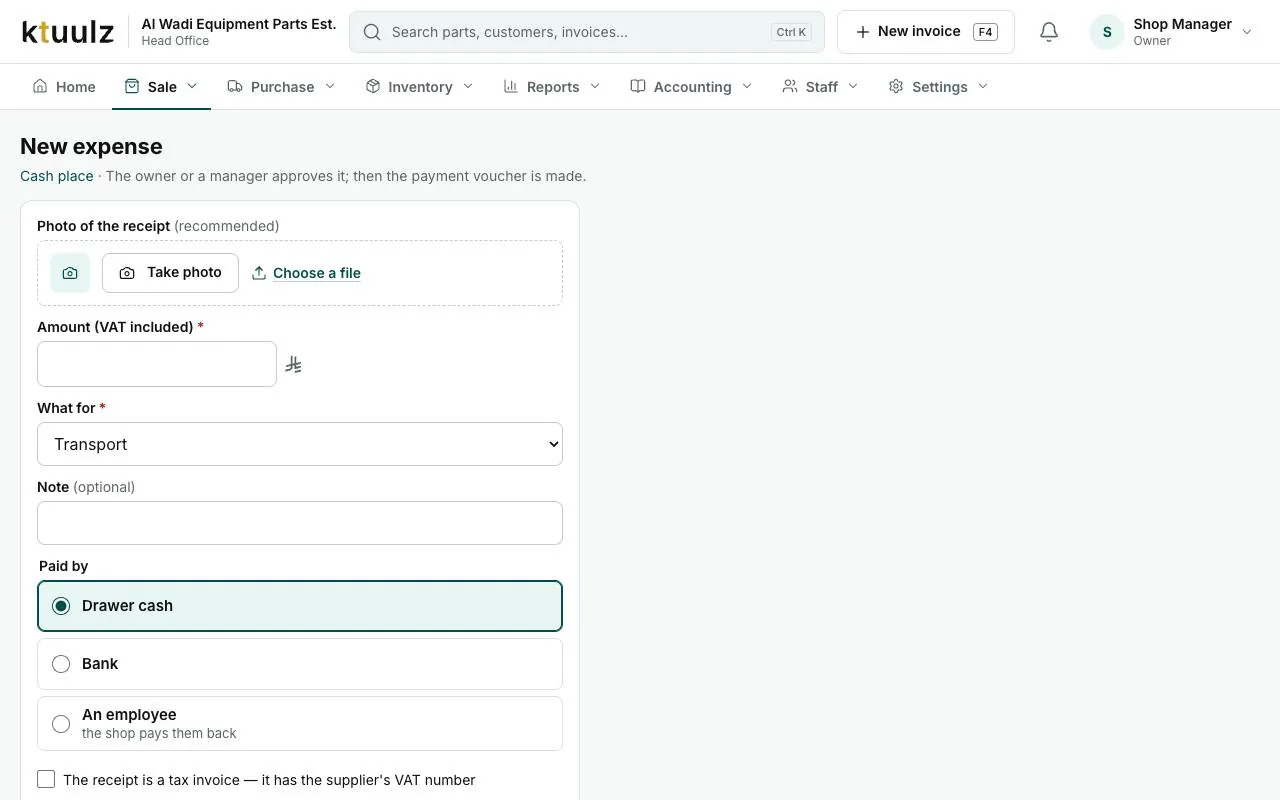
Expenses — with the owner's approval
- Expense → what kind (Transport, Repairs, Tea & water…), amount, note, paid from the drawer or a bank; for a tax invoice, the supplier's VAT number and the VAT.
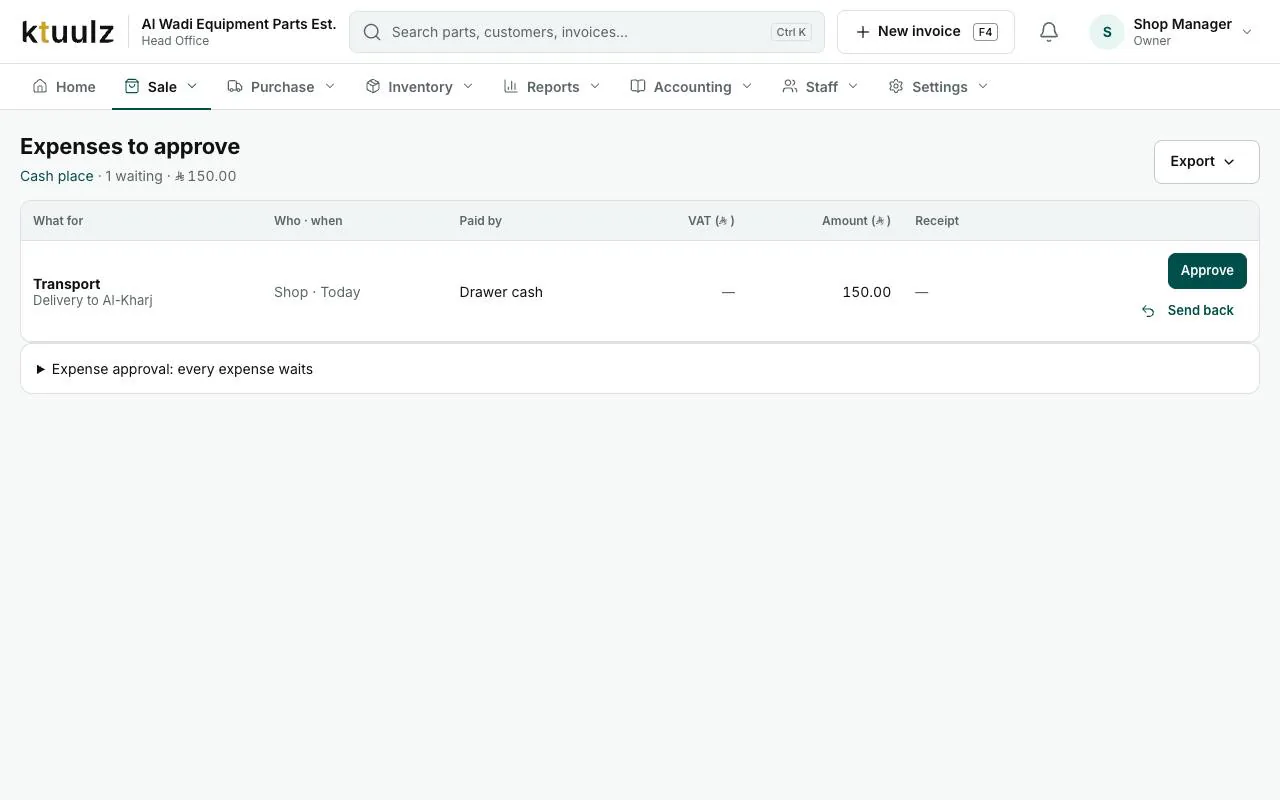
- People who may not approve press Send for approval: the cash leaves the drawer at once; the owner sees it on their Home (Expenses waiting for your approval · Review) and in Expenses to approve.
- The owner opens the list → Approve (the first time, chooses which account it belongs to) or Send back.
| Record an expense | Waiting for approval |
|---|---|
 |
 |
Cash in / out
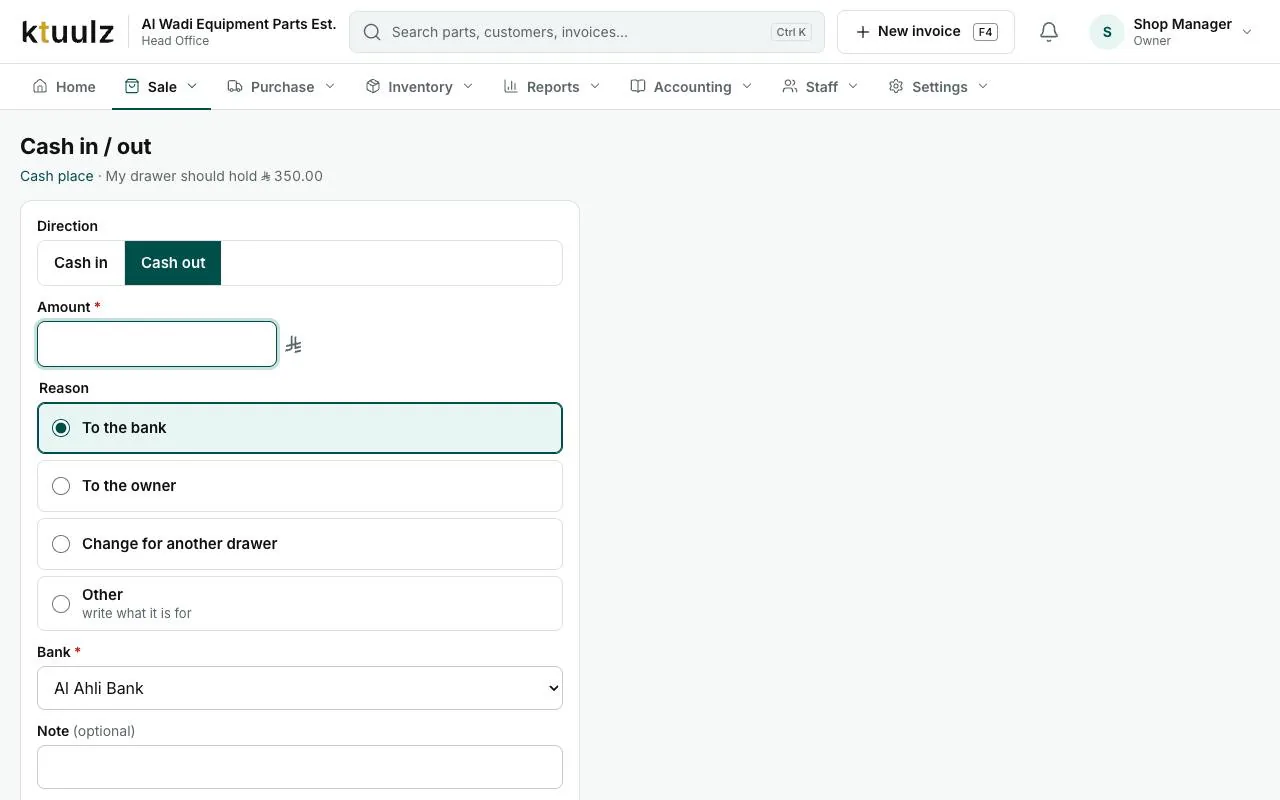
Cash in / out → direction (In — e.g. the owner adds change money; Out — e.g. cash taken to the bank), amount, note → save. To the bank asks which bank when the shop has more than one.
Close the drawer (end of the shift)
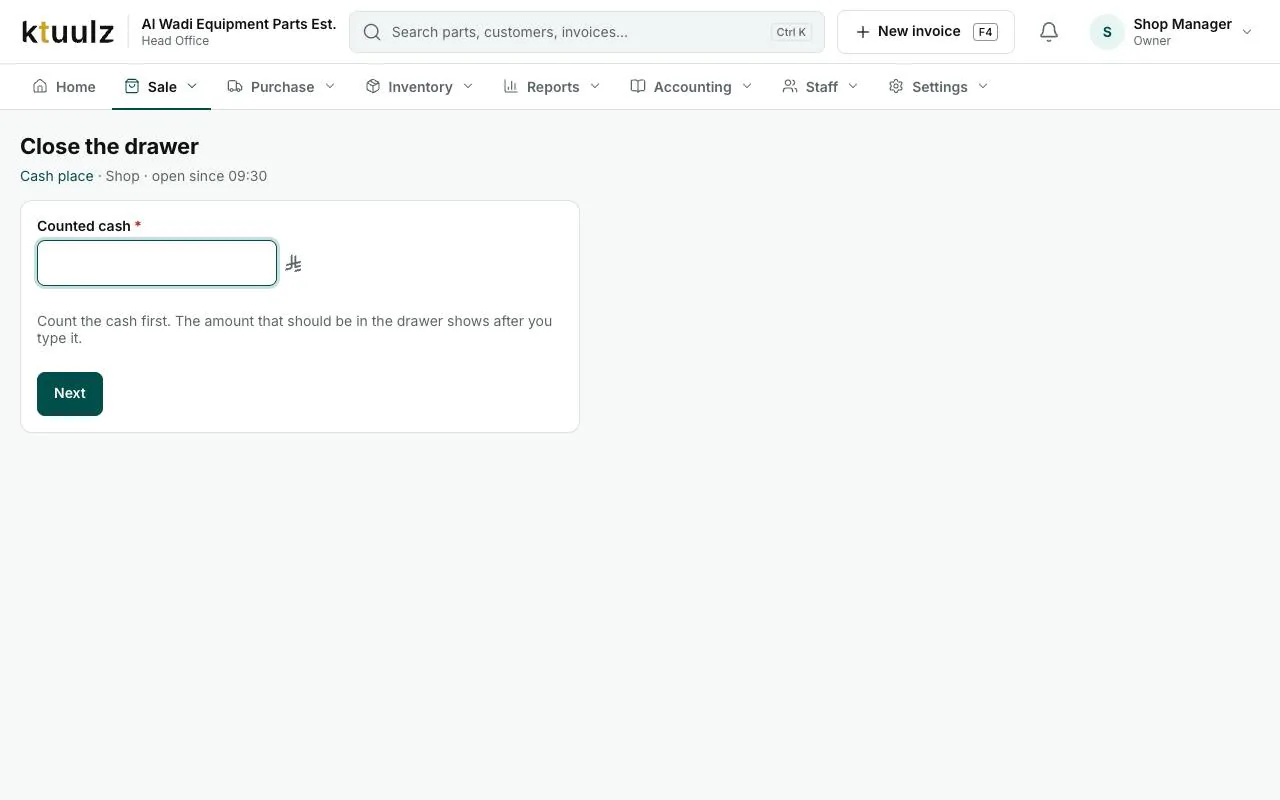
- Close the drawer. Count the notes and coins and type the counted cash first — Ktuulz shows what should be there only after you type it (a blind count, so the count is honest).
- Ktuulz shows the expected amount and the difference: Over or Short. If there is a difference, write why.
- Close. The drawer report is on the Daily report (§ Drawers) and in the Cash and bank book.
Worked example: opening 200, two cash collections of 200 each, a supplier paid 230 in cash → should be 200 + 400 − 230 = 370. You count 500 → Over 130.