

Selling at the counter — the invoice and the payment box
Make an invoice
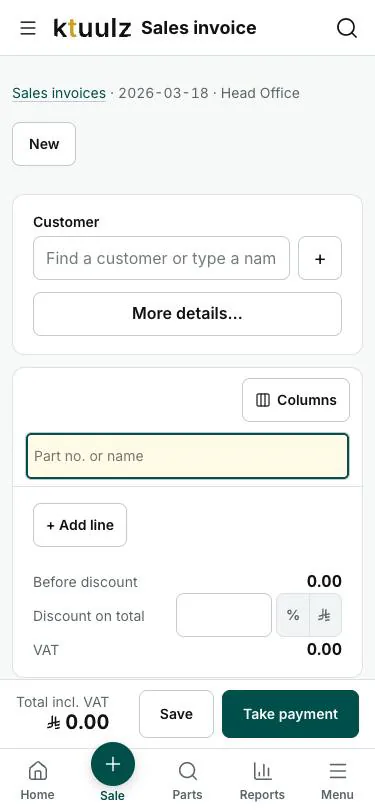
- Press F4 anywhere (or + New invoice, or Sale → New invoice).
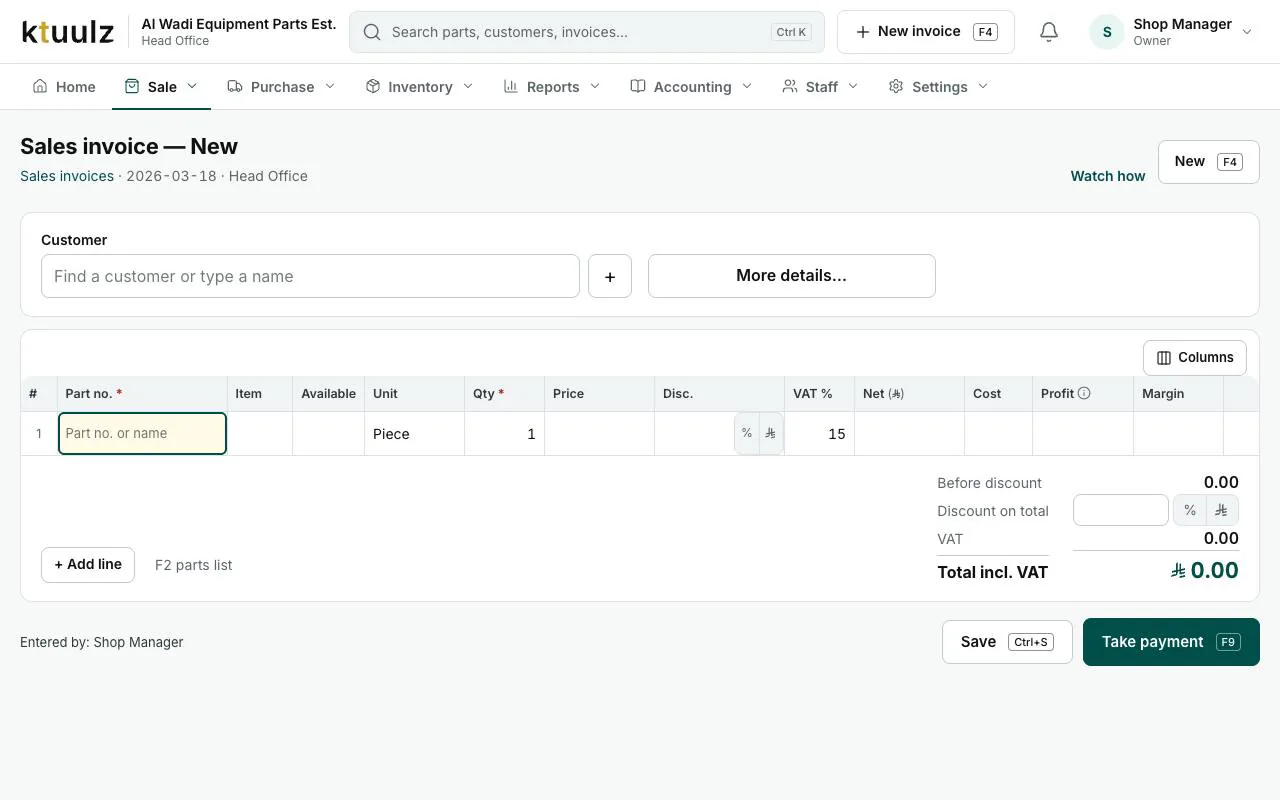
- Customer: leave it empty for a walk-in, or type a few letters of the name or mobile and press Enter. A new customer? Type the name and choose + Add … as a new customer (Name and Mobile are enough).
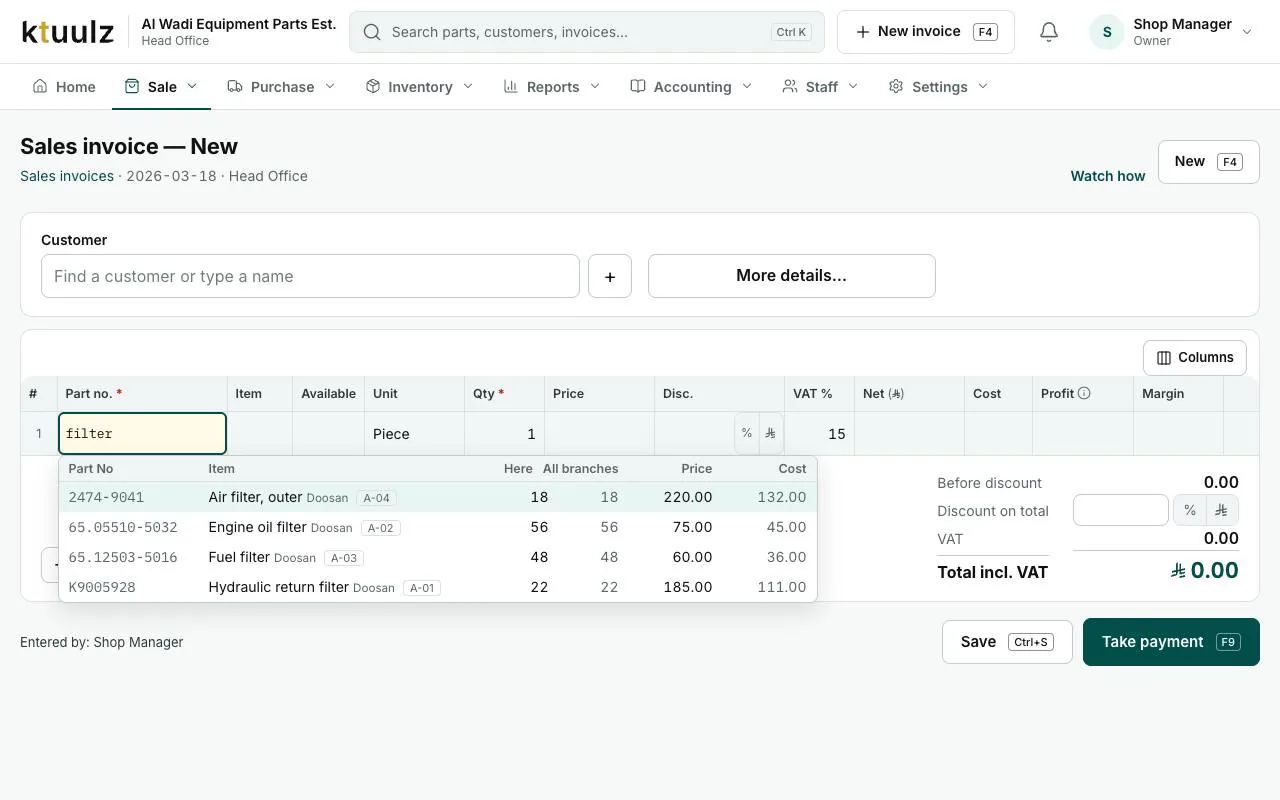
- Parts: type the part number or name in Part no. or name; the list shows the stock Here (your branch),
then a column for each other branch you may see, and the bin. Enter picks it, then type the quantity and Enter again
for the next line. F2 opens the parts list.
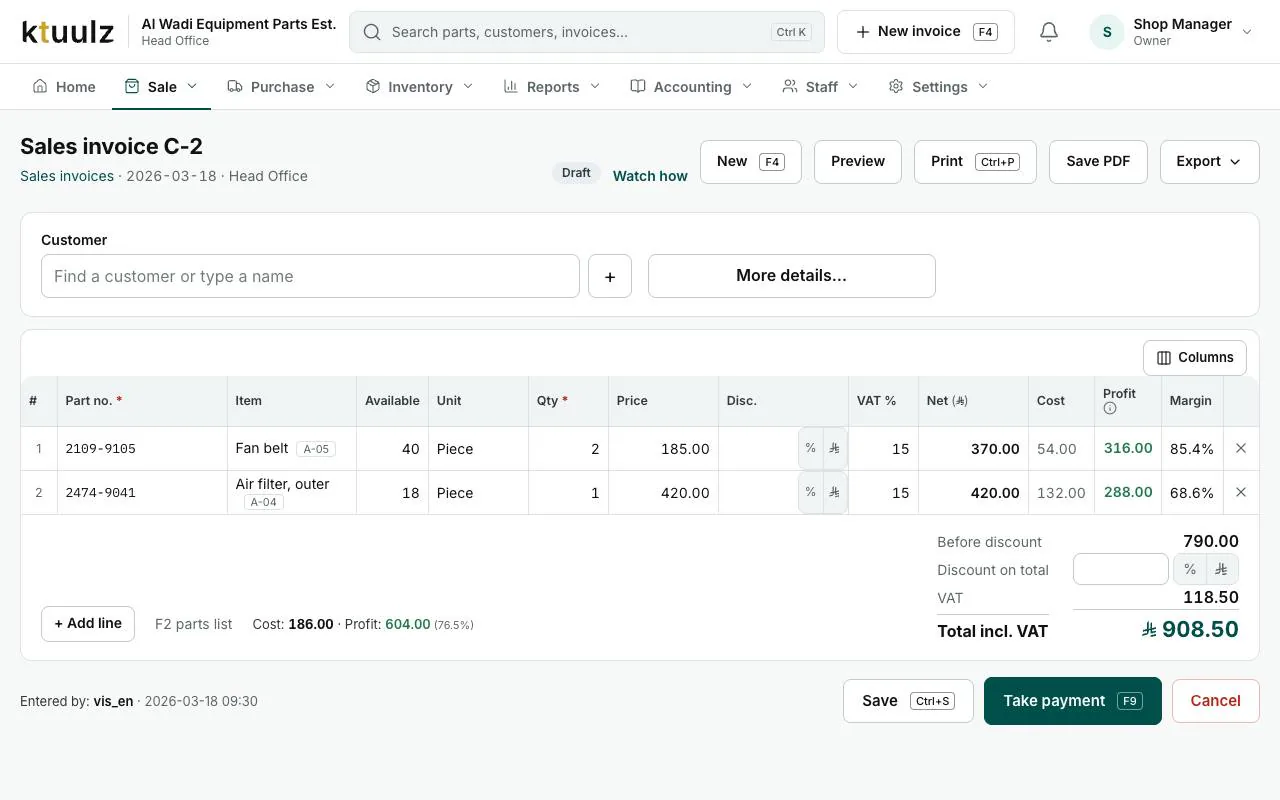
- Check the lines: price, discount, VAT, and (if you may see costs) cost, profit and margin.
- Press F9 — Take payment. (Ctrl+S only saves a draft to finish later.)
The payment box (F9)
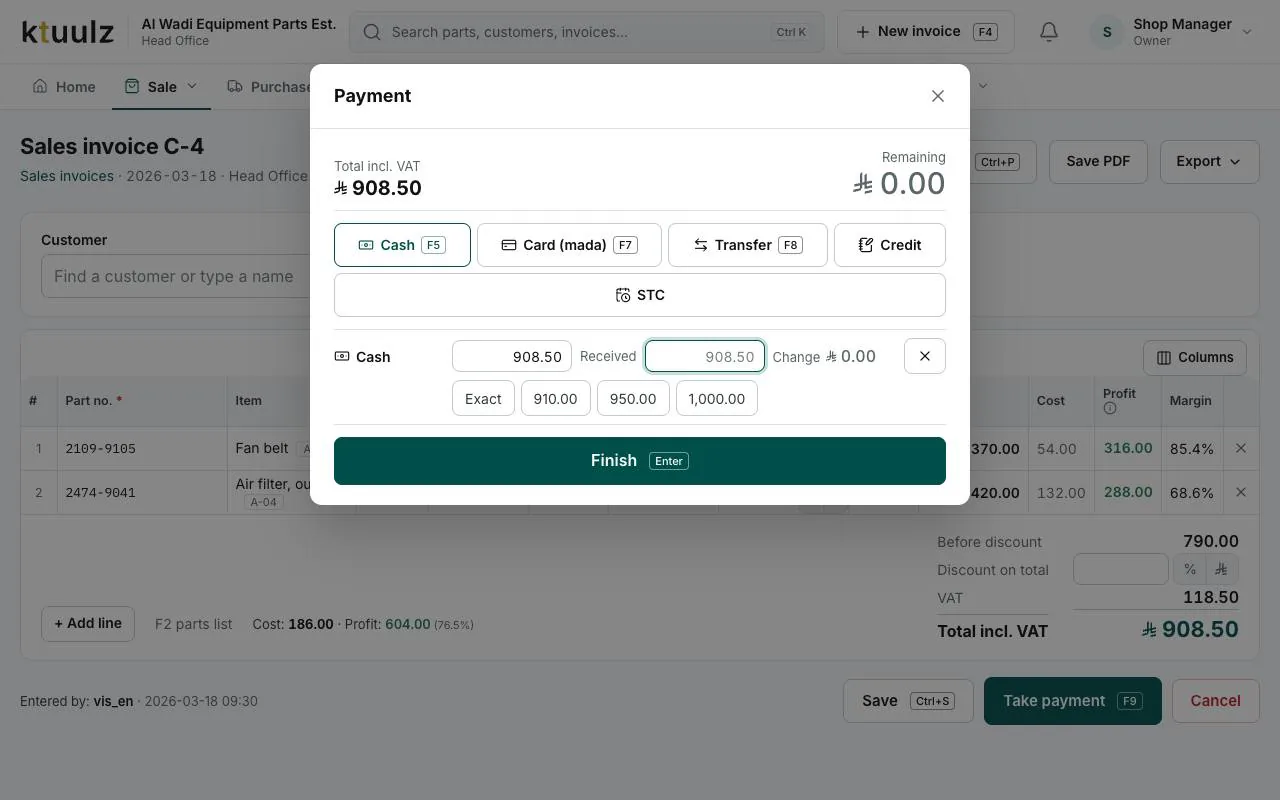
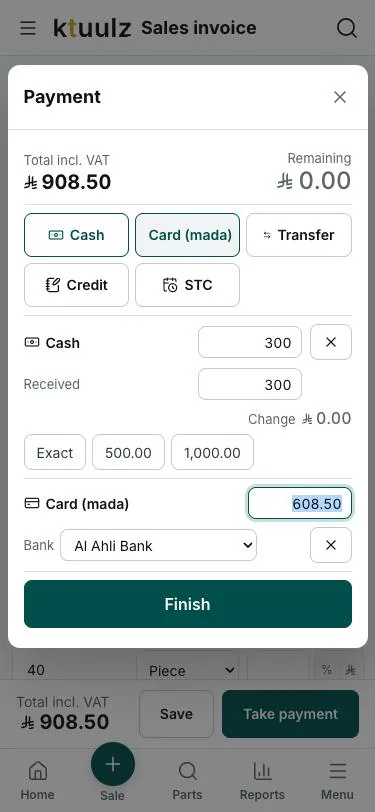
One box for every way to pay. On top: Total and Remaining (amber while something is to pay, green Change when more cash was received, red Over by when the lines add up to more than the total).
| Way | Button / key | What it means |
|---|---|---|
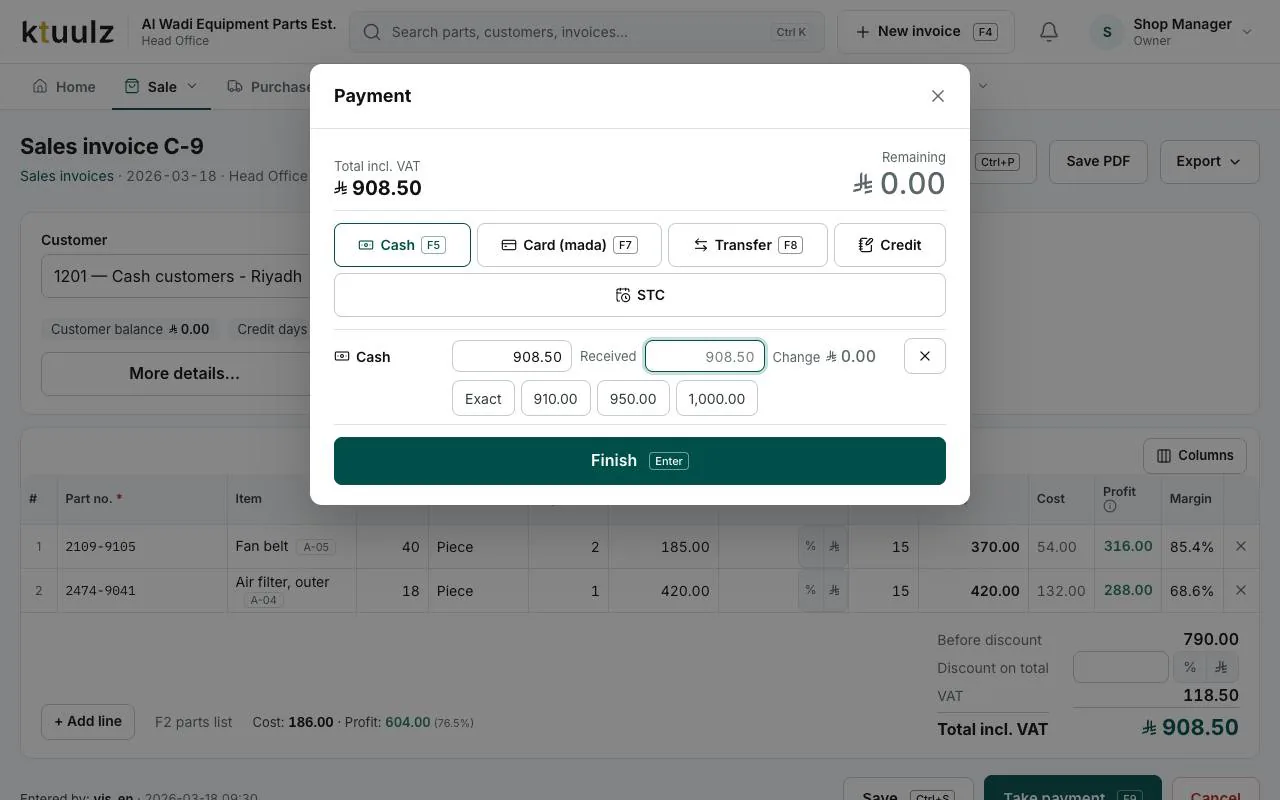
| Cash | F5 | Into your drawer. Type what the customer handed you in Received — Ktuulz shows the Change. Quick buttons: Exact, the next notes. |
| Card (mada) | F7 | Paid on the card machine. |
| Transfer | F8 | A bank transfer. |
| Credit | button | On the customer's account, to pay later. Shows the limit left and the customer's days (shop default 30). |
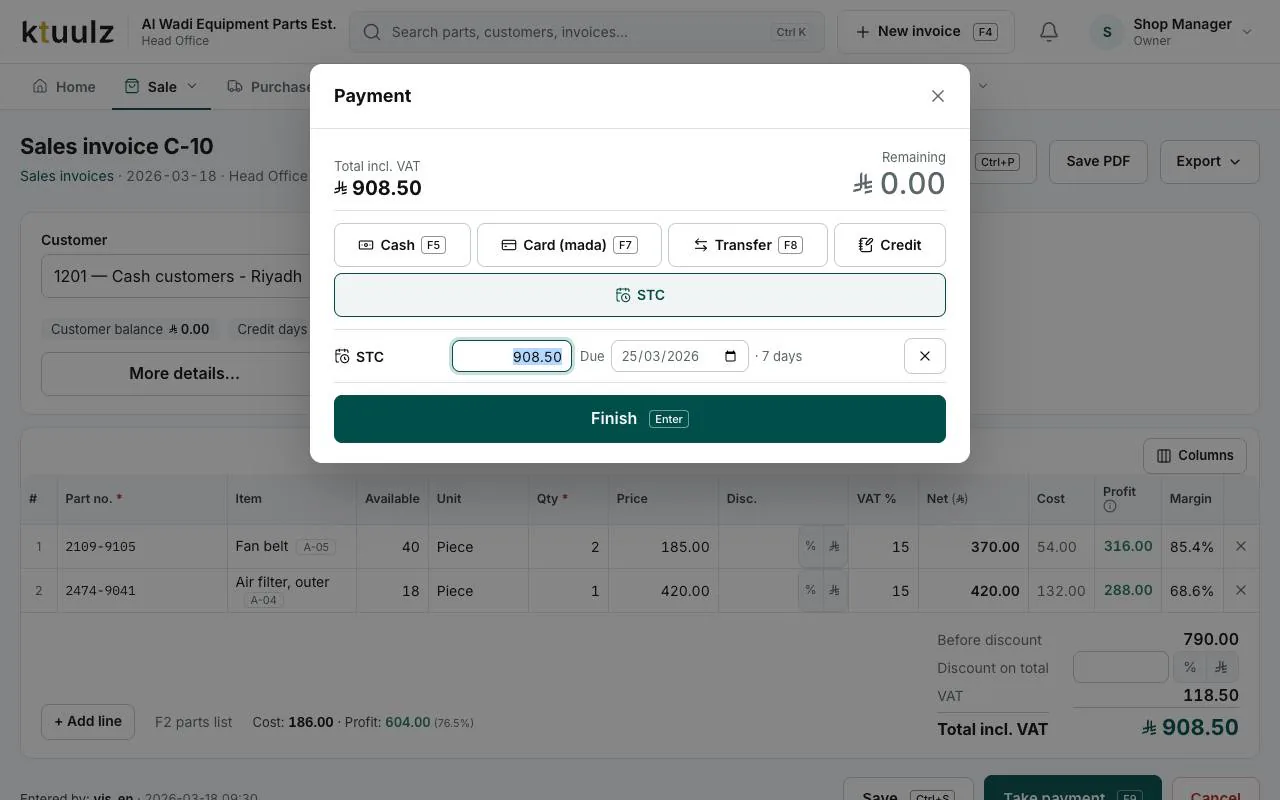
| STC | button | Short-term credit: due in a few days (shop default 7), the due date can be changed. Not counted against the limit. |
The quick way: the box opens with one line on the customer's usual way (a walk-in → Cash; a credit customer → Credit) holding the whole total. The cursor is in Received: type the money handed over and press Enter. Done. All by card: F9 → F7 → Enter.
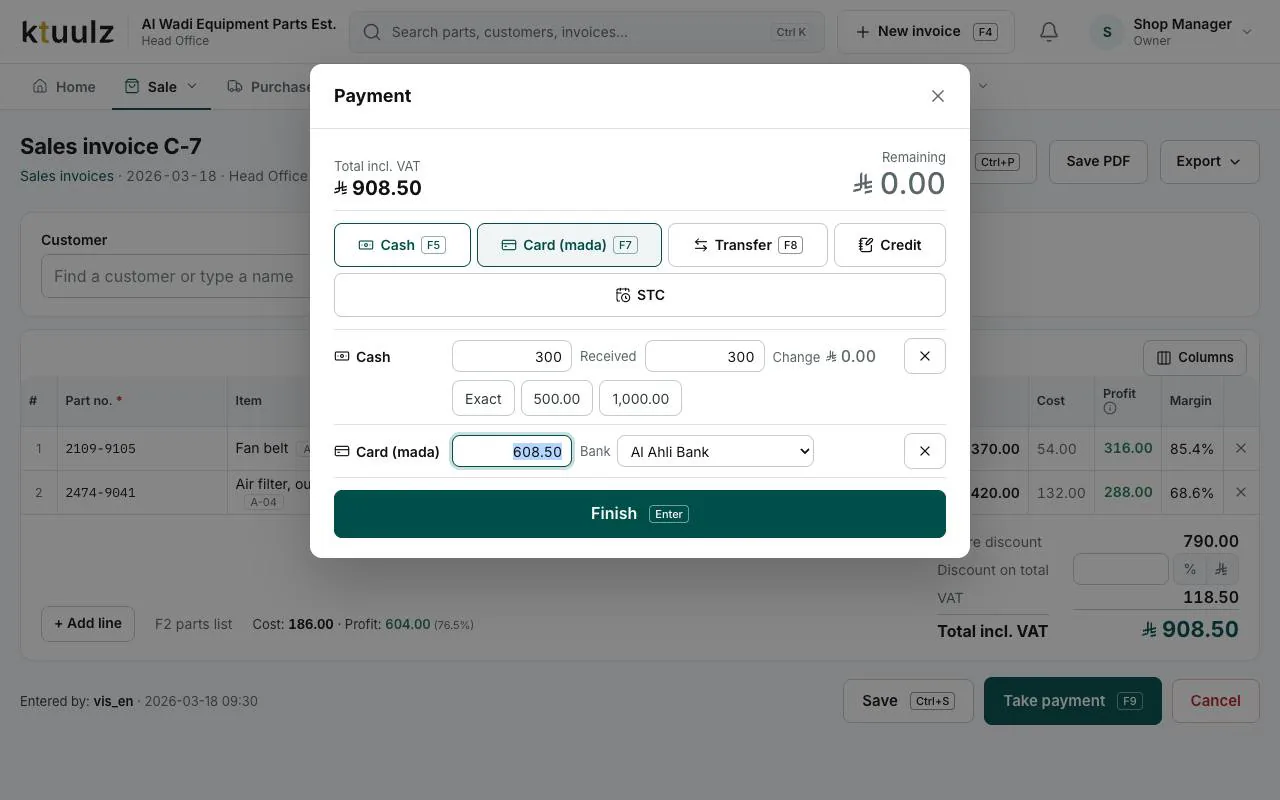
Split — any mix. Press another way's button (or F5/F7/F8): it adds a line holding what is still to pay, with the cursor in its amount. Change the amounts so Remaining is 0.00, then Enter (Finish). ✕ removes a line. F6 jumps to the row of ways. If you press Enter with something still to pay, it goes on the usual way (the box says so).
| Cash 300 + Card | Credit customer |
|---|---|
 |
 |
Credit vs STC — which one?
- Credit (account) — a customer you trust to pay over weeks. It counts against their credit limit. Over the limit: the box warns; only the owner or a manager can finish it (it is recorded as an exception). A cashier is refused and asks them.
- STC (short-term credit) — "I'll pay you in a few days." Due after the shop's STC days (7 by default). It does not use the limit, but a customer who already has an overdue STC cannot get a new one unless the owner allows it.
- Walk-in on credit: nothing is restricted. The box asks Who owes it? (Name + Mobile, optional). Filled → a customer is made on the spot; skipped → the amount waits on the walk-in account under this invoice and is collected later in the Cash place.
After Finish
The invoice is Paid / Finished, the ZATCA e-invoice is sent by itself, and you can Print (Ctrl+P), save a PDF or send it on WhatsApp. A finished invoice is never changed — mistakes are fixed with a return (returns).
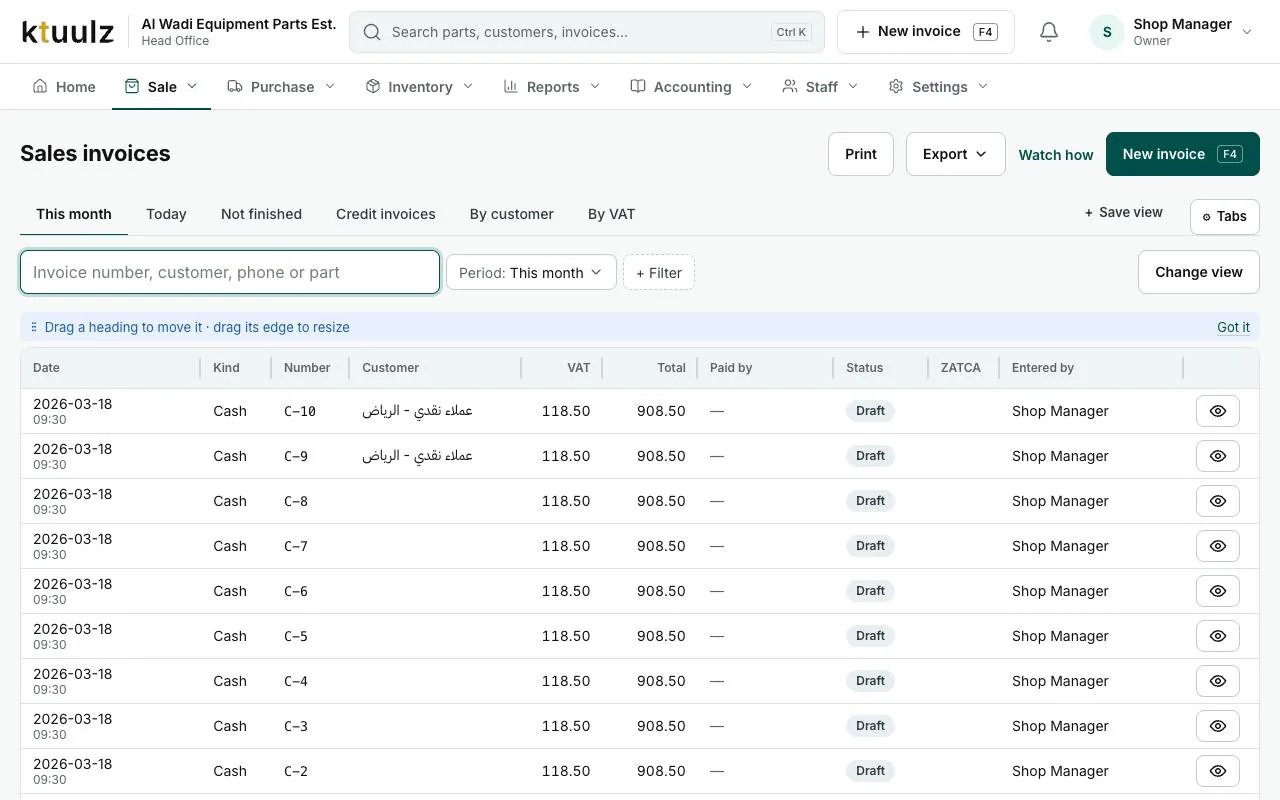
The Paid by column in All invoices, the registers and the Daily report shows how each invoice was paid, e.g. Cash + Card · 390 + 300.
On a phone
The same steps: the + in the bottom bar starts an invoice; Take payment sits above the bottom bar.
| New invoice | Payment box |
|---|---|
 |
 |