

Parts
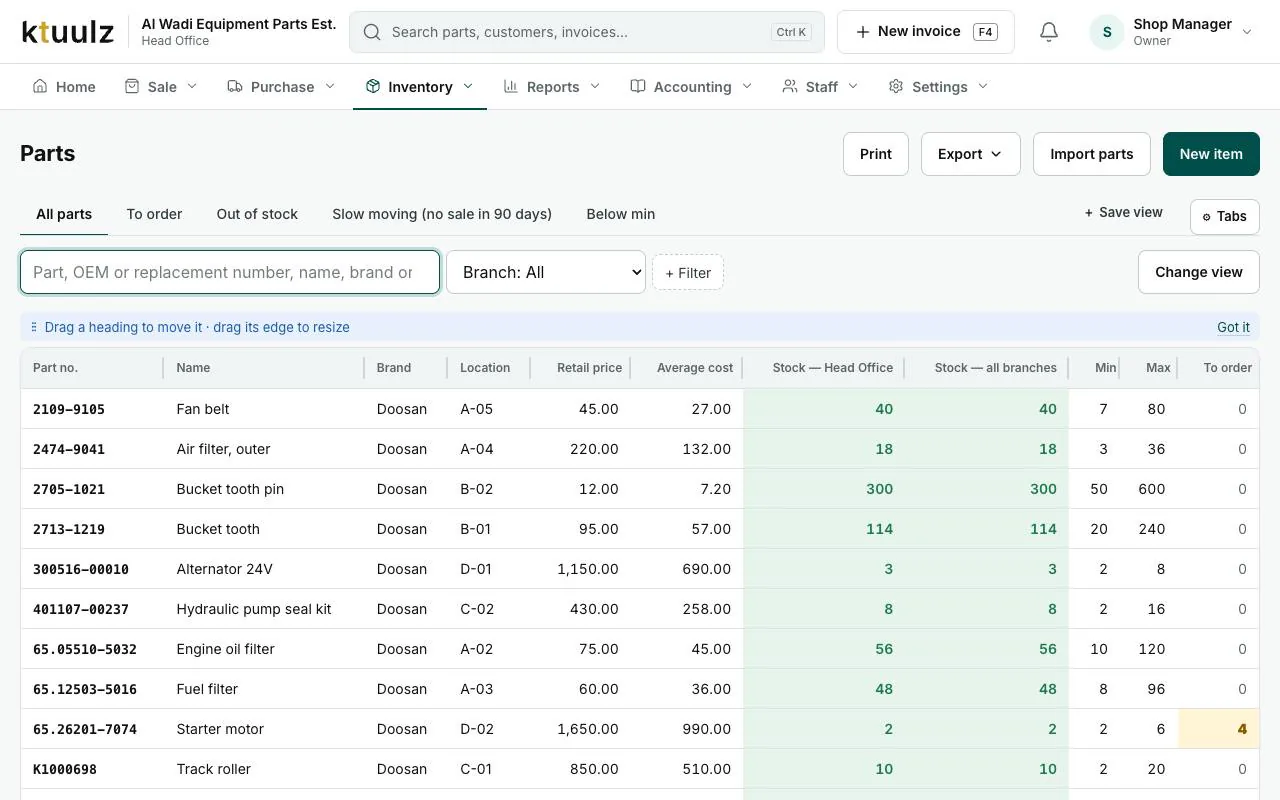
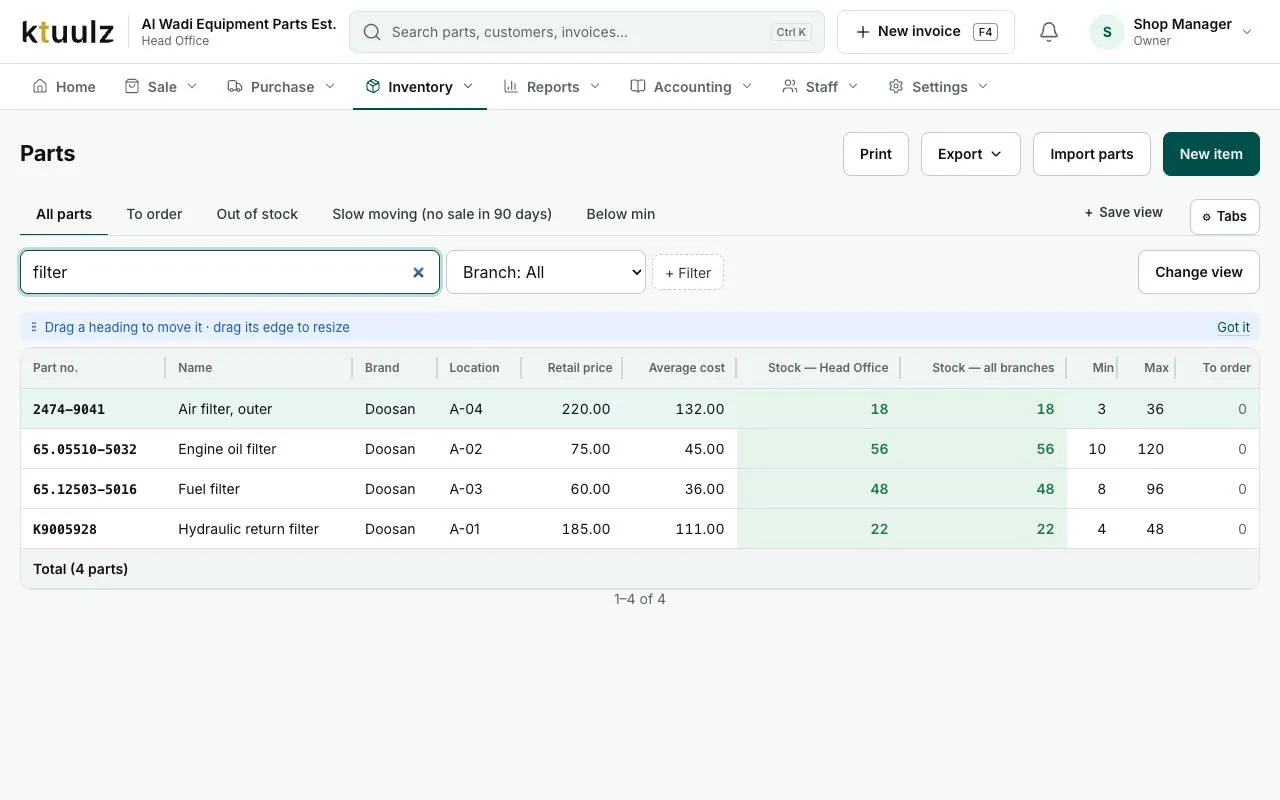
Inventory → Parts is your parts list with its search: part number, old numbers, name, brand, bin.
| Parts | Searching |
|---|---|
 |
 |
Open a part for its stock in every branch, the three price levels (Retail, Workshop, Wholesale — the shop can rename them), cost (if you may see it), photos and every movement.
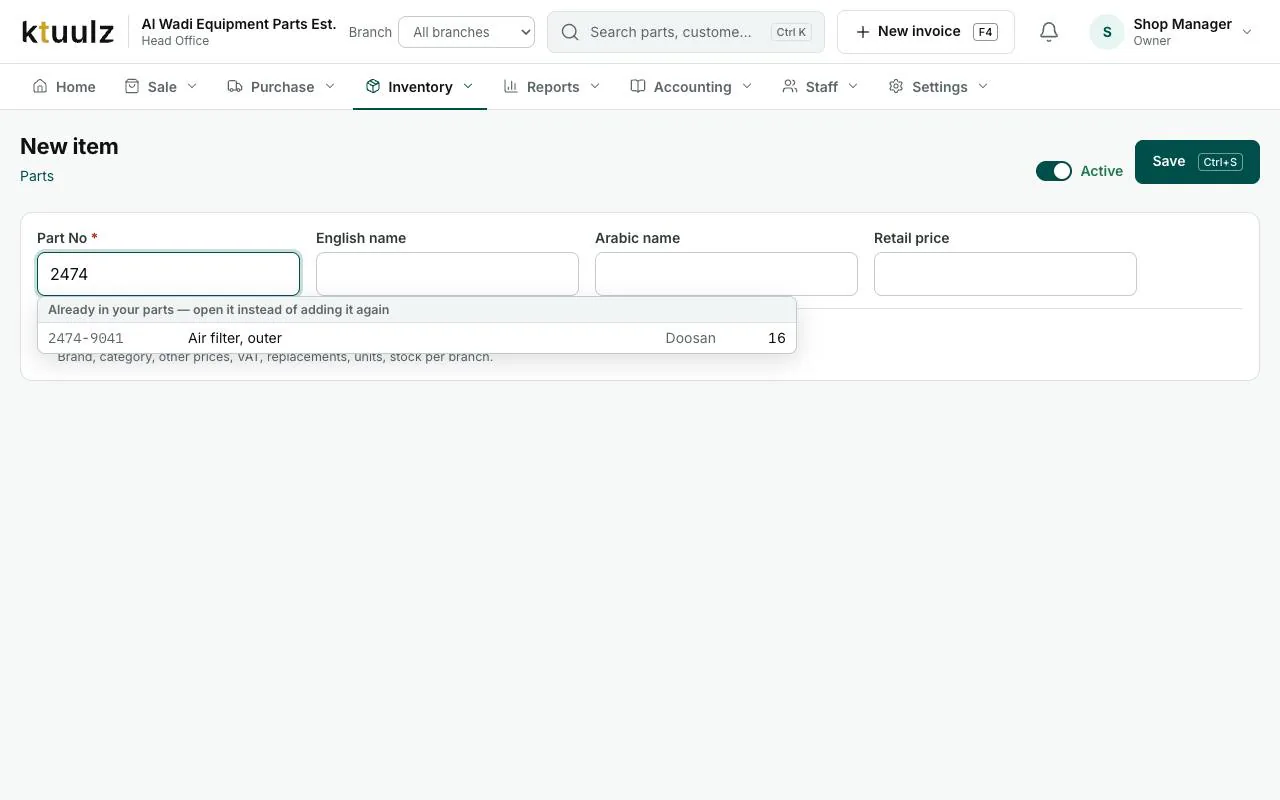
New part: New item → part number, name, prices, unit, bin. While you type the Part No (3 characters or more) Ktuulz suggests: Already in your parts (the same part however it is spaced or dashed — tap it to open that part instead of adding it twice) and From the catalogue (parts from the parts database not in your list yet — a tap fills the part number, the English name, the brand and the replacement numbers; you type the price).
Many parts at once: Settings → Bring in your data (paste from Excel, with opening stock).
All parts opens with each branch's stock, all branches, Min, Max and To order; stock is red at 0 and green above, To order amber.
Not in your list? Search the parts database. The part search on an invoice, quotation or inquiry line (and Ctrl+K) also looks in Ktuulz's parts database: millions of part numbers for heavy equipment, included in every plan. Type whatever the customer gives you:
- a part number: you see the part with its old and new numbers;
- a machine model: you see the matching models with their serial ranges; choose one;
- a serial number from the machine's plate: you confirm the machine it belongs to.
The machine you chose shows on the document as a chip (Machine: … ✕). Typing then searches inside that machine: your own parts for it first, with stock and price, then the database's other parts. With a serial, only the parts that fit that machine are shown; without one, parts that depend on it are marked "from s/n …" or "up to s/n …". Add to my parts copies a part into your list; give it a price and stock, and sell, quote or order it. ✕ goes back to the normal search. If the database cannot be reached, your own search works as usual.
Running low: the owner's Home shows parts running low; Purchase → Order suggestions turns them into a purchase order.
Inventory → More → Items priced below cost (cost right only) lists parts whose price is under their cost.