

The owner's day
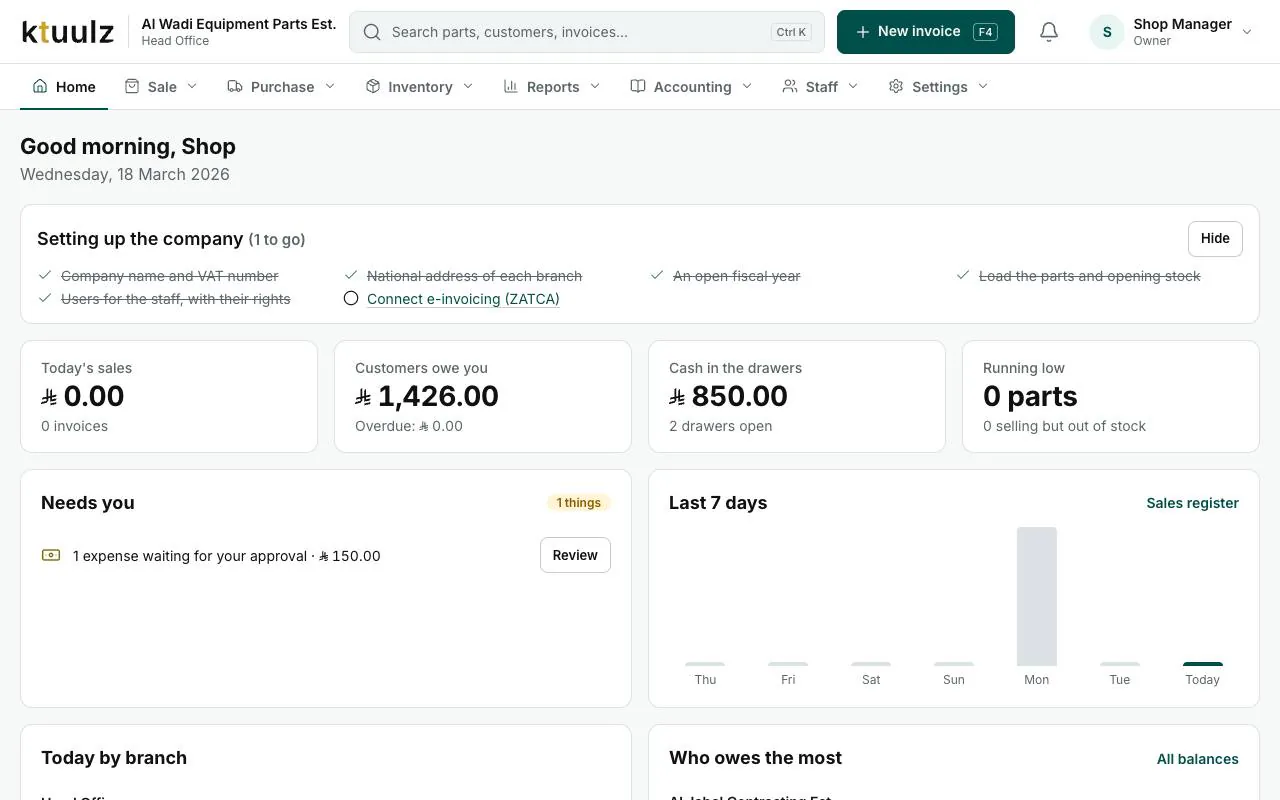
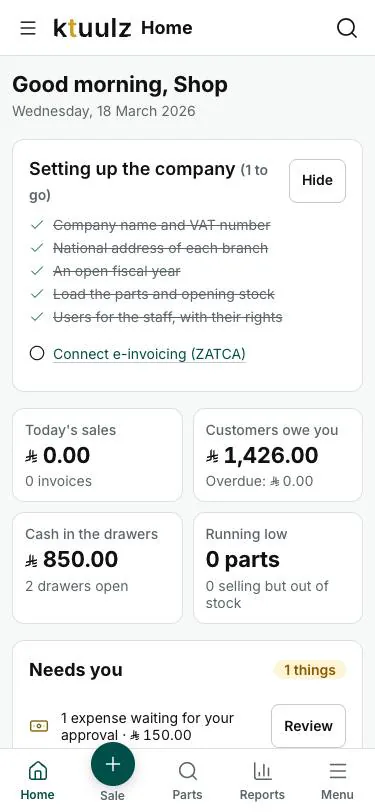
Morning — Home. Four figures: Today's sales, Customers owe you (overdue in red), Cash in the drawers (how many open), Running low. Each opens its list. Needs you lists what waits for you, worst first: expenses to approve (Review), late deliveries not invoiced, overdue customers, over-limit customers, parts out of stock, unfinished invoices, ZATCA problems. Last 7 days, Today by branch, Who owes the most.
During the day
- Approve expenses: Needs you → Review (or Cash place → Expenses waiting for approval) → Approve / Send back. See Cash place.
- Allow an exception: a cashier who sells on Credit over a customer's limit is refused — open the invoice, F9, Enter: you may finish it; it is recorded as an exception.
- Sell like anyone (selling); collect from customers who owe.
- More than one branch? Branch ▾ in the top bar: pick one branch to see only its numbers, lists and reports while you work there; All branches brings everything back. Your rights do not change.
Evening
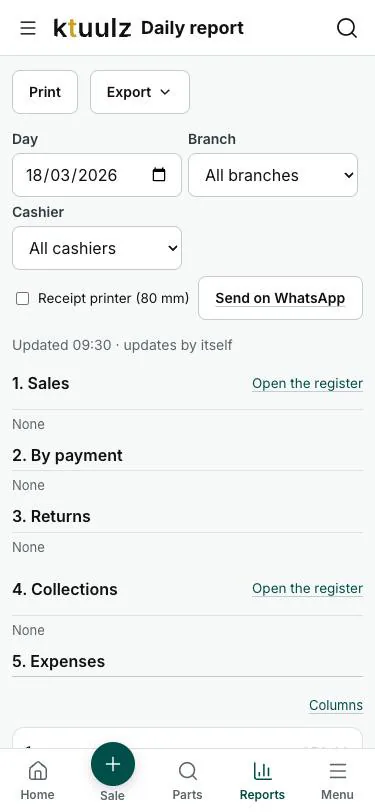
- Reports → Daily report for today: sales by way of payment, collections, purchases, expenses, every drawer's over / short. Send it on WhatsApp if you like.
- Reports → More → Cash and bank book for the branch cash box or a bank.
Monthly
- Reports → Customer balances; Accounting → VAT return (then lock the period); Profit and loss.
- Settings → People and roles: Invite staff (email, role and branch), change rights, remove someone who left.
- Settings → Plan & payments for Ktuulz's invoices.
| Phone | Daily report on the phone |
|---|---|
 |
 |