

People, rights and settings
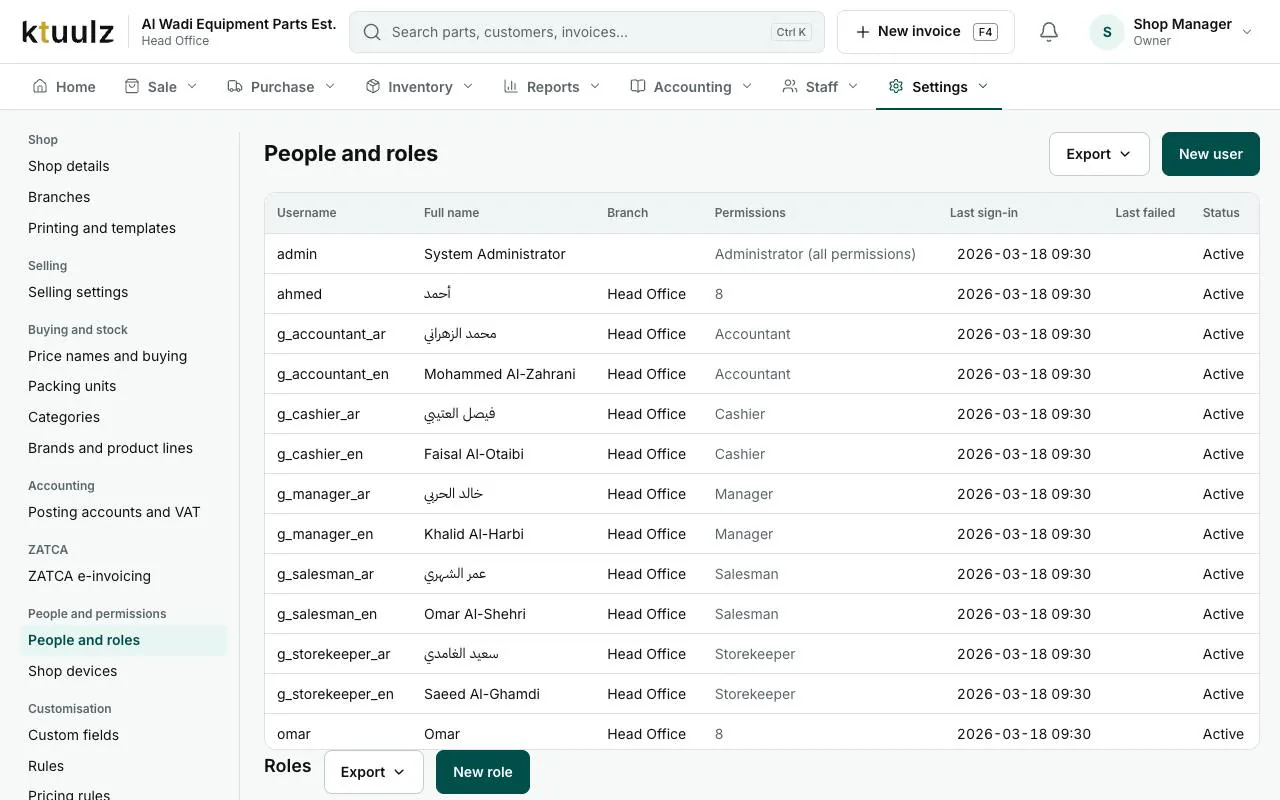
People and roles
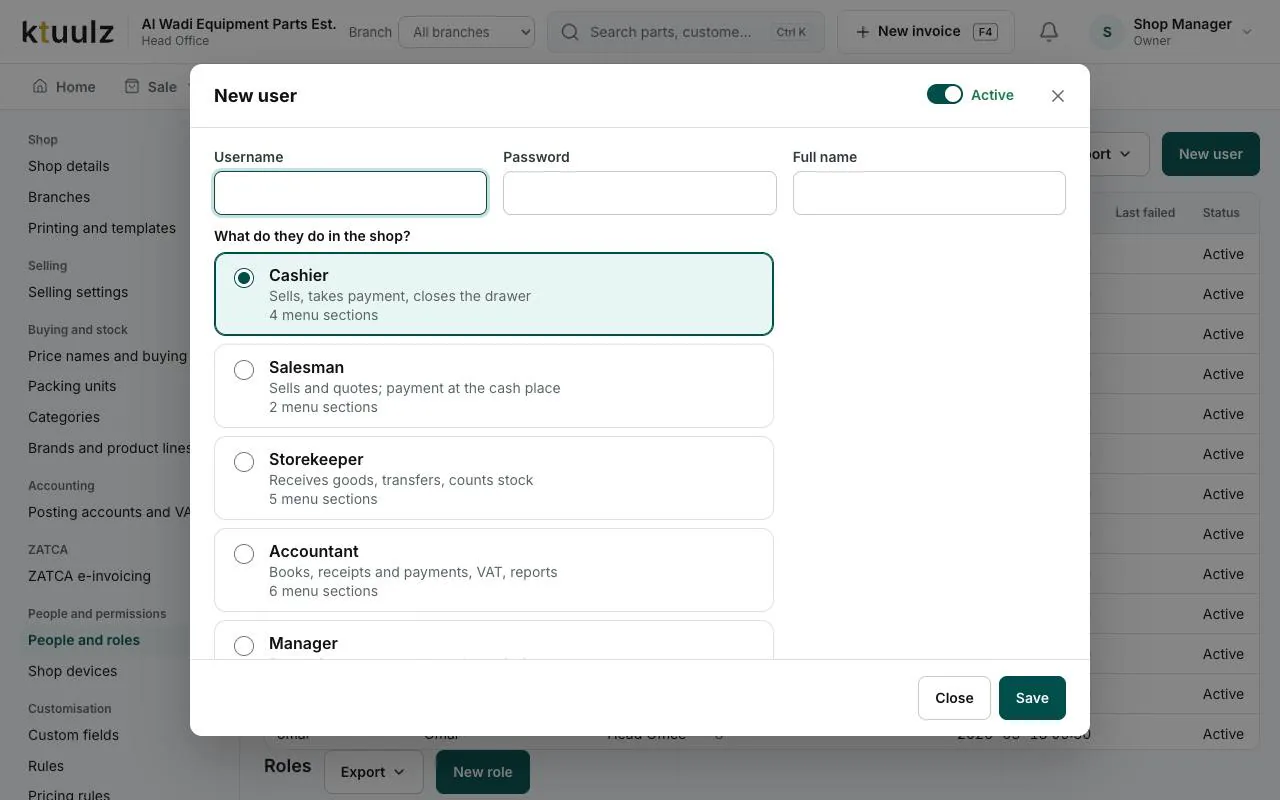
Settings → People and roles → Invite: the Email to invite, a Role — Manager, Accountant, Cashier, Salesman, Storekeeper, or Custom — and, in a shop with branches, their Branch → Send invitation. They get an invitation email and join with their own sign-in (no passwords to share). The list shows Invited until they join; Send invitation again shows Sending… → Sent and Revoke invitation cancels it. Each role starts with its rights; the owner can change any person's rights. Each person sees only the menu their rights allow, and the server checks the same rights on every action.
Branches (shops with more than one): when you invite someone, choose their Branch too — All or one branch. A person kept to a branch sees only that branch's invoices, cash, reports, Home and search; opening another branch's document says This belongs to another branch. Parts, customers and suppliers are shared. To let them see how many pieces the other branches have (never their prices or sales), tick See stock in other branches in their role. Changing their role later keeps their branch. Roles (your shop's own roles) are on the same page, below People.
| People | Invite |
|---|---|
 |
 |
| Role | Sees |
|---|---|
| Owner | Everything, approves expenses and exceptions, Plan & payments (in Settings) |
| Manager | Everything except managing people and webhooks — approves expenses too |
| Cashier | Sale (invoice, payment box, returns), Cash place with their drawer, Parts |
| Salesman | Quotations, invoices (to the cashier), customers, parts |
| Storekeeper | Purchases and receiving, delivery orders, branch transfers and requests, stock adjustment, parts (manage), stock reports |
| Accountant | Accounting, VAT, reports, costs, collections and supplier payments, salaries |
Settings
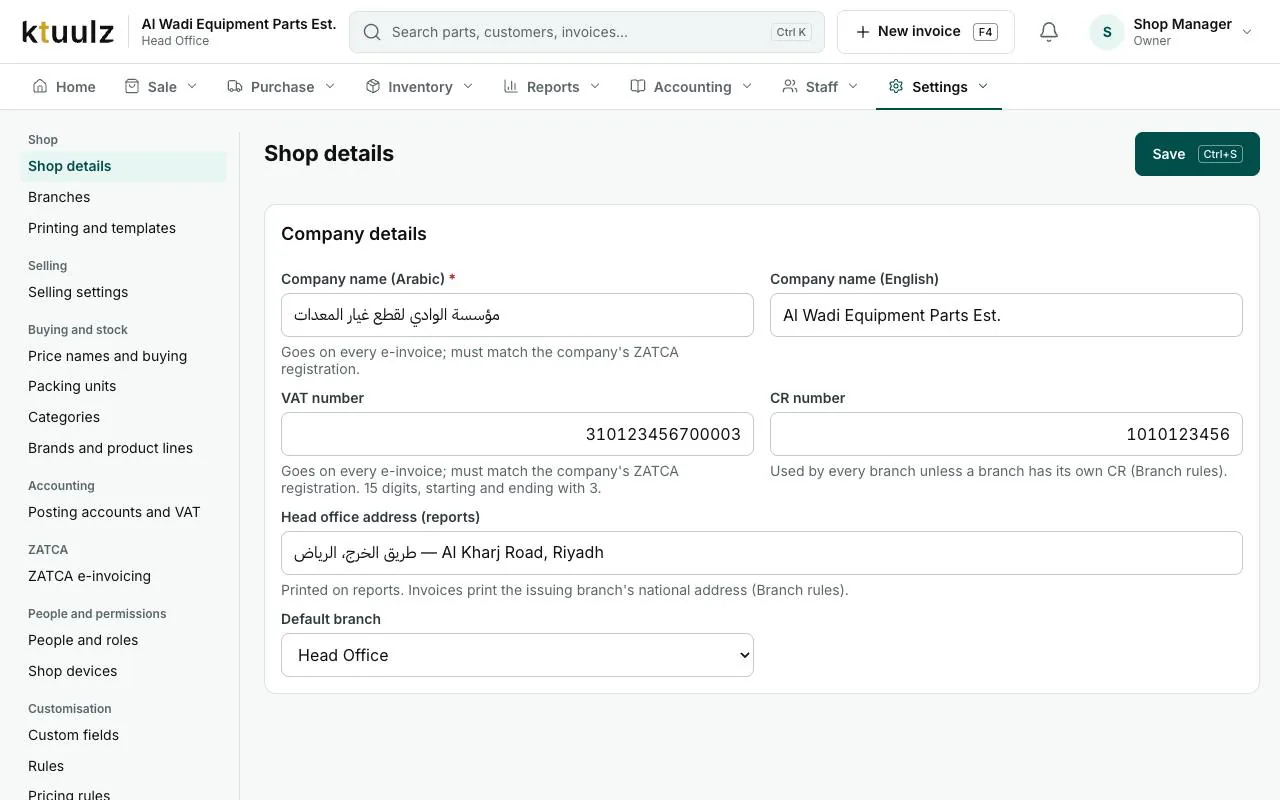
- Shop details — company name, VAT and CR numbers, address, logo, printing (paper, font size, bank box), STC
days (blank = 7) and Credit (account) days (blank = 30), price level names.
- Branches — each branch's national address, its own invoice series and its Number code (for example JED):
with more than one branch, new documents are numbered like
JED-2026-0001; numbers already issued never change. A branch that is switched off is not offered anywhere and takes no new documents; its old documents still open.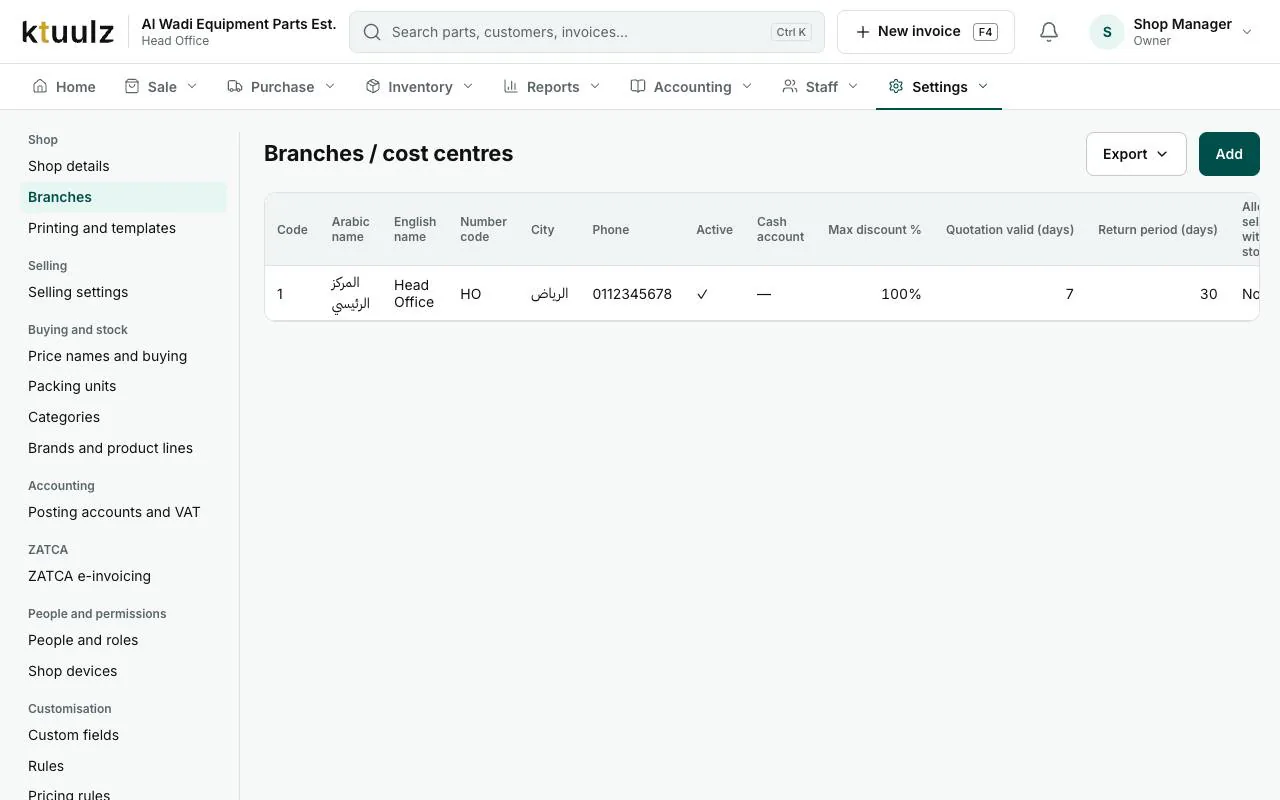
- Modules — switch on Staff and salaries, Fixed assets, Online orders.
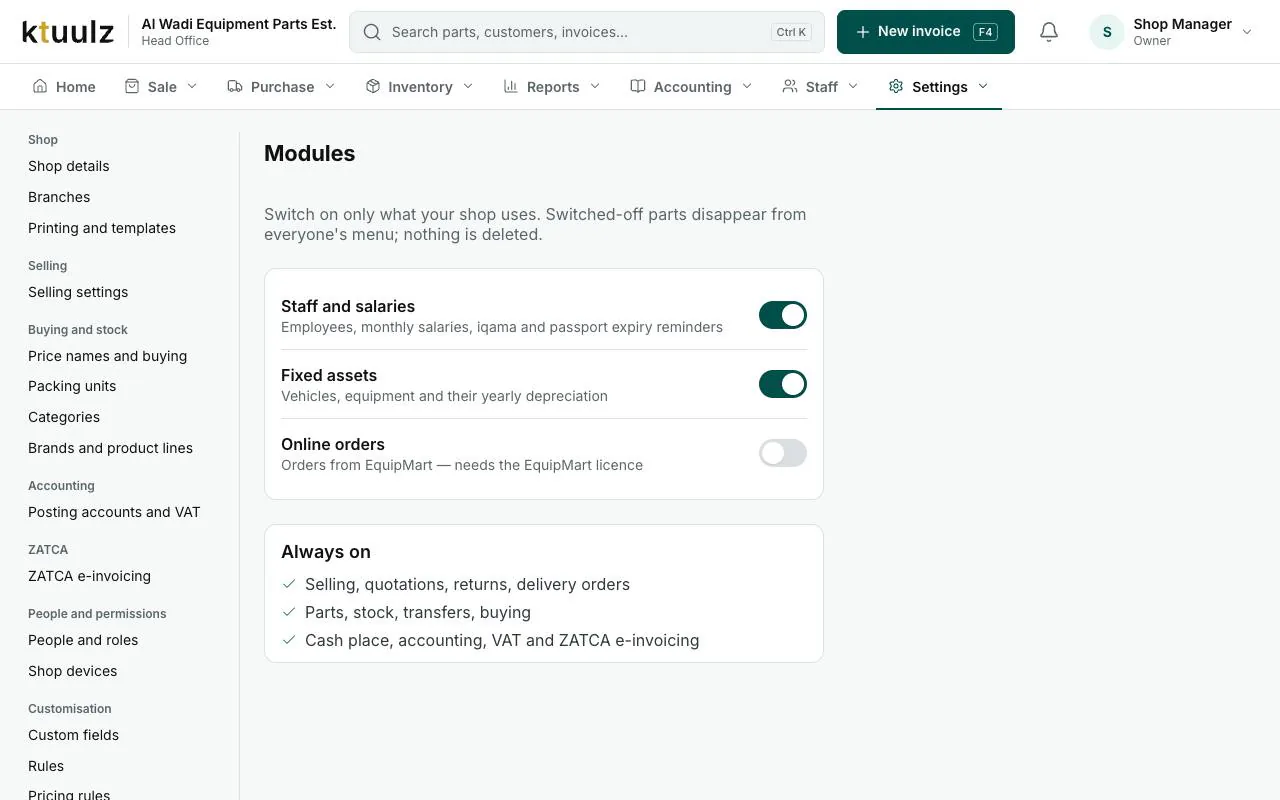
- ZATCA e-invoicing, Bring in your data (Excel), Shop devices, Plan & payments, Activity log, Alerts, Move from another system. Settings has a list of sections down the side (Shop · Selling · Buying and stock · Accounting · ZATCA · People and permissions · Customisation · Data); on a phone you pick the section first.
Switch shop
If you work in more than one shop, the shop's name at the top opens the list of your shops.