

Shortcuts card
Print this page and keep it at the counter. Shift+F1 shows the same list inside Ktuulz.
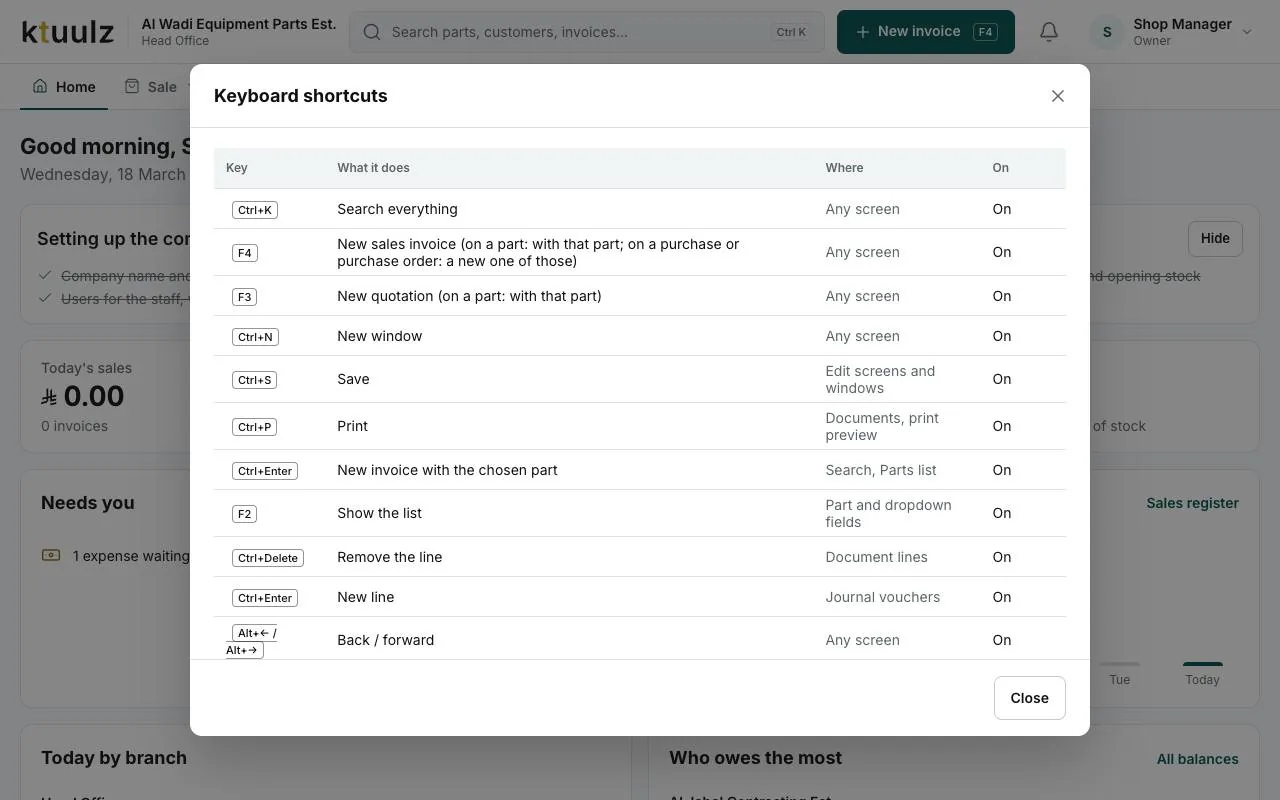
| Key | What it does | Where |
|---|---|---|
| Ctrl+K | Search parts, customers, invoices, screens | Anywhere |
| F4 | New sales invoice | Anywhere |
| F3 | New quotation | Anywhere |
| F9 | Take payment / finish (purchases: save and finish) | Invoices, purchases, Cash place (Collect) |
| Enter | Payment box: Finish — what is left on the usual way | Payment box |
| F5 | Payment box: a Cash line for what is left | Payment box |
| F7 | Payment box: Card (mada) for what is left | Payment box |
| F8 | Payment box: Transfer for what is left | Payment box |
| F6 | Payment box: go to the ways to pay (to split) | Payment box |
| Ctrl+S | Save (a draft) | Any form |
| Ctrl+P | Documents | |
| F2 | Open the list for this field (parts, customers) | Fields with a list |
| Enter | Next field / next line | Invoice lines |
| Ctrl+Delete | Remove the line | Invoice lines |
| Ctrl+Enter | Sell this part (from search / Parts) | Search, Parts |
| ↑ ↓ / Enter | Move / open | Lists, search |
| Esc | Close | Windows, lists |
| Alt+← / Alt+→ | Back / forward | Anywhere |
| Ctrl+click (Mac: Cmd+click) | Open that screen in a new browser tab | Web browser: lists, menu, links |
| Ctrl+N | New window | Windows app |
| Alt | Go to the menu bar | Anywhere |
| Ctrl+B | Show / hide the side menu | Side menu |
| F1 | The guide for this screen | Anywhere |
| Shift+F1 | All keys | Anywhere |